Access 301: Ephemeral Authentication > Class - Access 301: Ephemeral Authentication > Module 1 - Implement C3D with APM Enhancements Source |
Lab 1.5 - Create a Pool
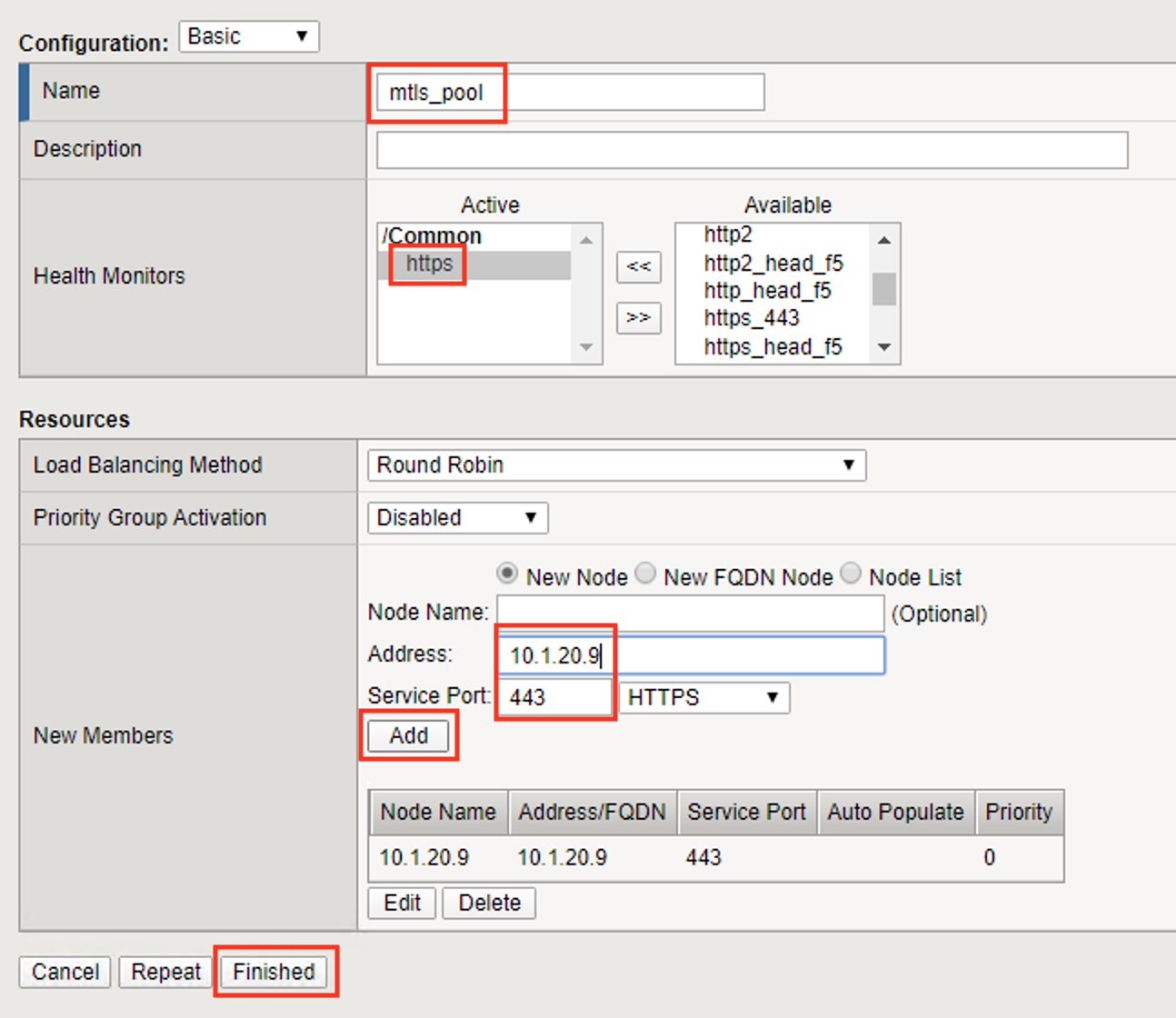
In this section you create a pool that contains the IP address of the CentOS server hosting the website requiring mTLS.
Task - Create the Pool
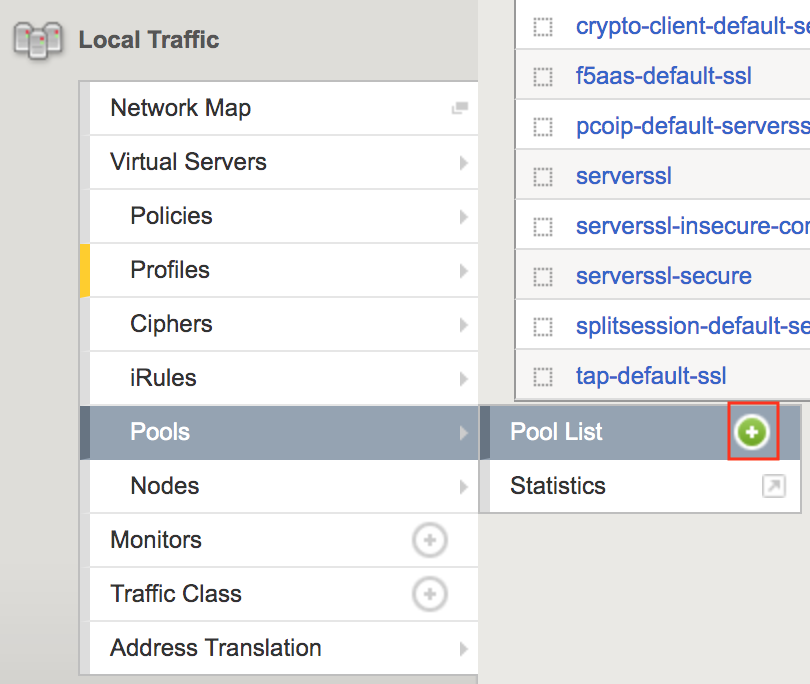
Navigate to Local Traffic >> Pools >> Pool List, then click the + (plus symbol) to create a new Pool
Enter mtls_pool for the Pool Name
Select https from the list of available monitors
Enter 10.1.20.9 for the member address
Enter 443 for the member port
Click add
Click Finished