Access 301: Ephemeral Authentication > Class - Access 301: Ephemeral Authentication > Module 2 - Implement Priviledged User Access Authentication Source |
Lab 2.7 - Creating an APM Policy - Update Initial Access Policy
In this section, you will add the CAC Auth Macro to the initial access policy and update the variable assignments.
Task - Update the Initial Access Policy
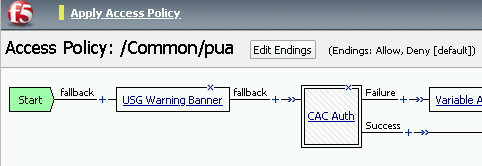
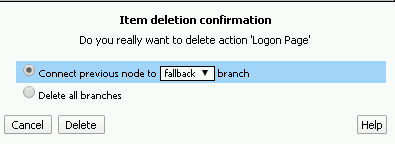
Remove the Logon Page by click X above the box

Click the Delete button
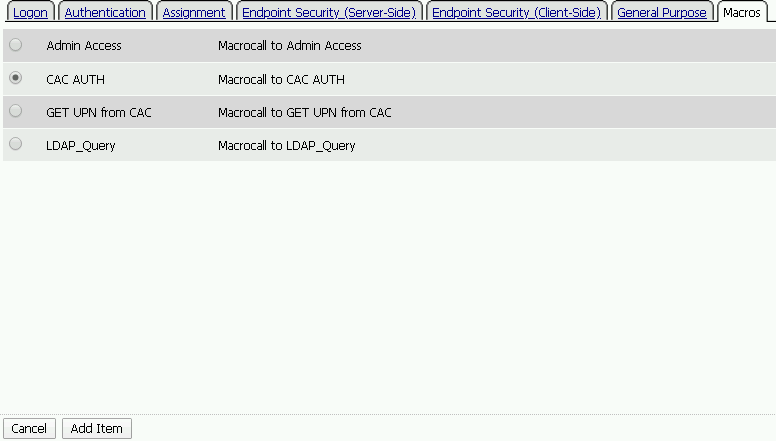
Click the plus sign between USG Warning Banner and Variable Assign

Select Macros across the top, select the CAC AUTH button in the main page, and click Add Item
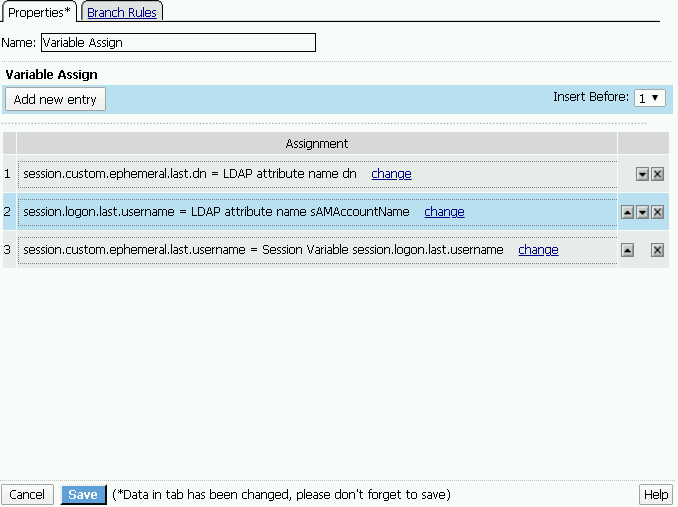
Click the Variable Assign box

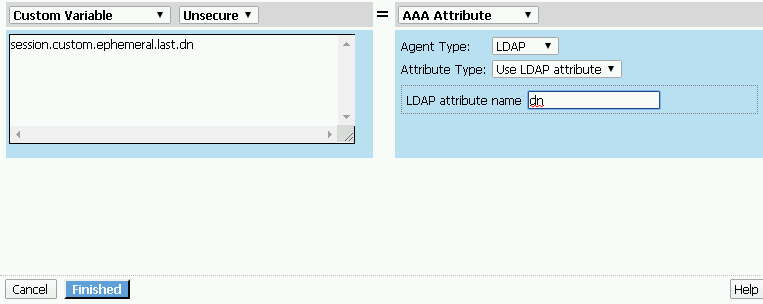
Click change on row 1

Make the following changes
- Change the right hand pull down setting to AAA Attribute
- Change the Agent Type to LDAP
- Change the Attribute type to USE LDAP attribute
- Set the LDAP attribute name to dn
- Click Finished
Click Add new entry
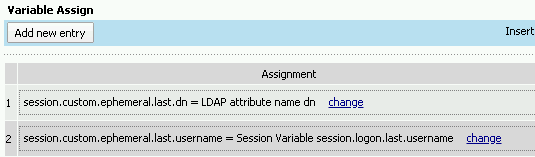
Click change
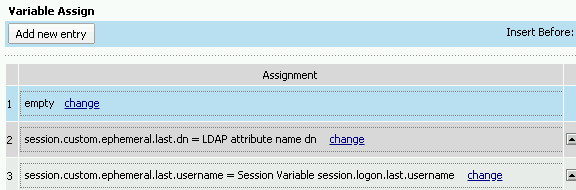
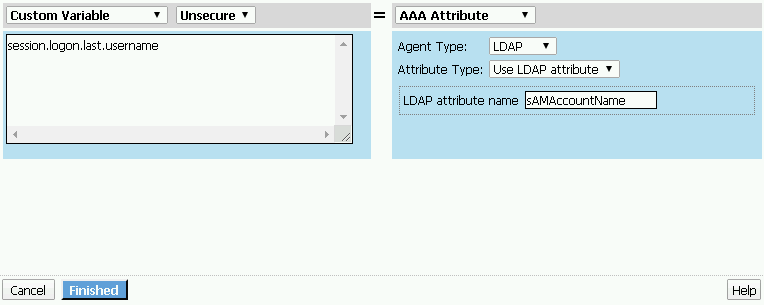
Make the following changes:
- Update the field below Custom Variable with session.logon.last.username
- Change the Custom Expression pull down to AAA Attribute
- Change the Agent Type to LDAP
- Change the Attribute type to Use LDAP attribute
- Set the LDAP attribute name to sAMAccountName
- Click Finished
Click the down arrow on row 1 to move the Assignment to the second row, and click Save
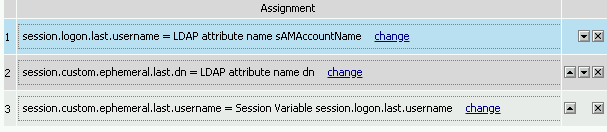
Note
Here is the completed initial policy

Click Apply Access Policy